 ClearOrigin
AI watermarks, metadata, and Content Credentials explained
Three different kinds of information, with three different limits.
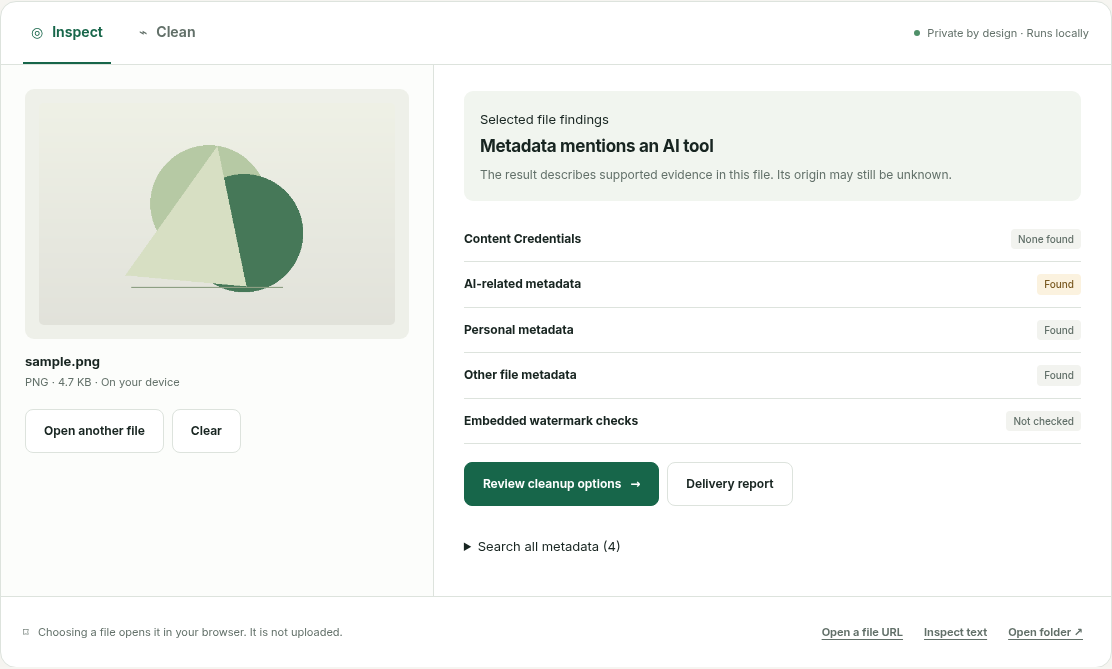
Metadata: editable notes
A file can carry an author name, camera location, software name or generation parameters. These are useful clues but usually editable. Selective metadata cleanup removes supported fields from a copy.
Content Credentials: signed records
A credential can record who signed a file and what actions were asserted. Signature validation, signer trust and the content of those assertions are different questions. A signature does not independently prove all recorded facts.
Embedded watermarks: signals inside content
Some watermark systems modify pixels or language patterns. A metadata cleaner does not erase those signals. ClearOrigin explicitly labels proprietary watermark checks “Not checked.”
Choose the right operation
Inspect first. Review the evidence source. If sharing a file, remove only supported metadata you intend to remove. Do not present a cleaned output as proof of human authorship or complete watermark removal.
Files are processed locally. Account and payment information is separate. Read the privacy explanation.