 ClearOrigin
How to remove personal metadata before sharing files
A deliberate review of what travels with your images and documents.
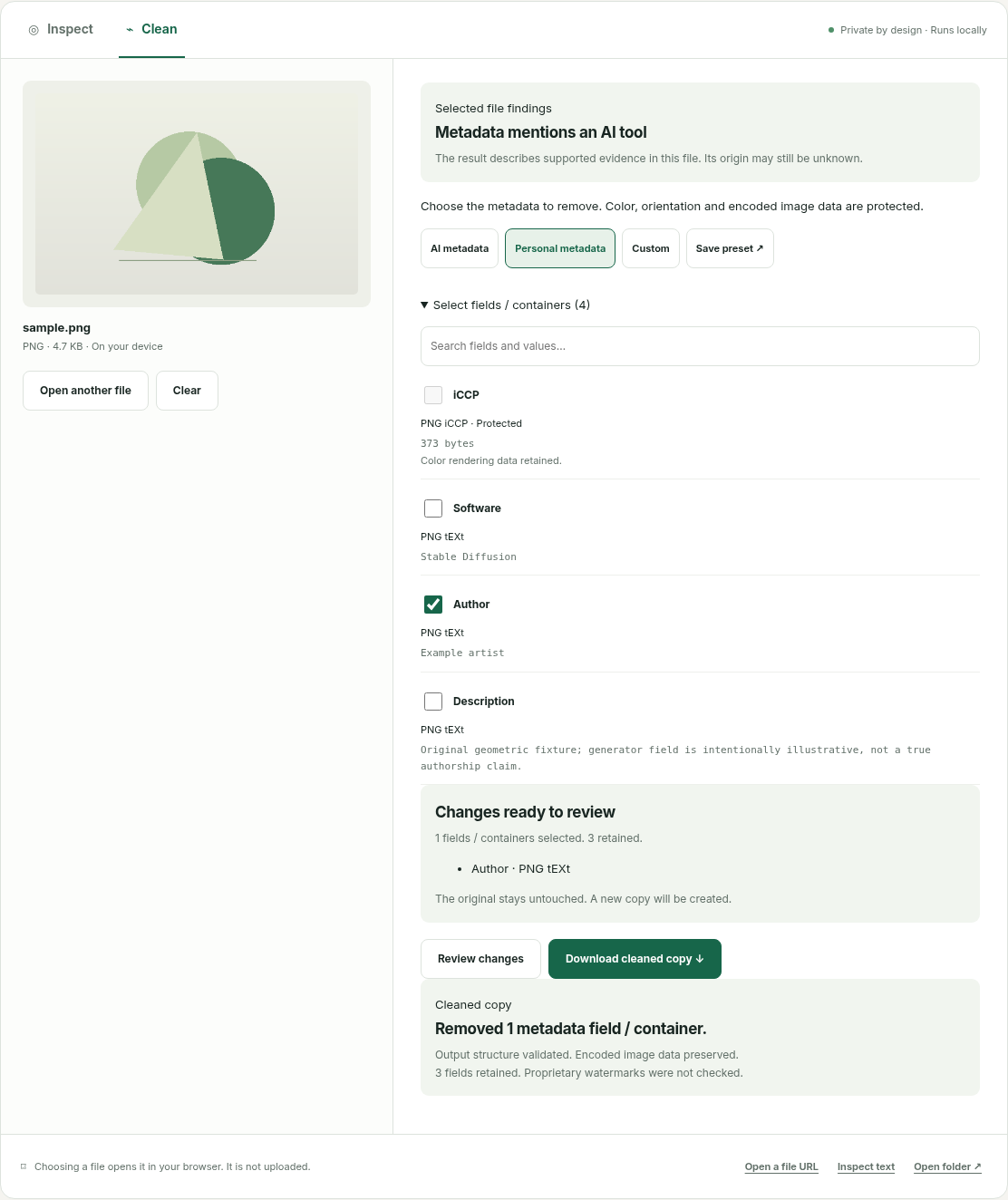
Review supported personal fields
Open a file, choose Clean and select Personal metadata. Review authorship, dates, camera identifiers and location fields. Check the source container and exact field names.
Protect how the file renders
Orientation and color data affect an image’s appearance. ClearOrigin retains protected rendering fields and compares encoded image data. XMP containing appearance settings is protected as a whole in the initial image adapter.
Understand document boundaries
DOCX property cleanup retains comments, revisions, text and embedded images. PDF property cleanup is not redaction. Information written in a document or visible in an image needs a different workflow.
Export and verify the copy
Review the selected fields, download the .cleaned copy and reopen it in your usual viewer. Keep the original until you have checked the result in its intended delivery environment.
Files are processed locally. Account and payment information is separate. Read the privacy explanation.